
The Hidden Stress of Modern Project Management
Do you ever feel like your to-do list is a monster that never stops growing? You start your morning with a clear plan, but by noon, everything is a mess. Unexpected meetings pop up and emails start flooding your inbox.
Managing a project today feels like trying to catch rain with your bare hands. You track tasks in one app, talk to your team in another, and keep your schedule in a third one. This constant switching makes you feel tired before the day is even half over.
Most people think they just need to work harder to stay organized. They wake up earlier and stay up later, hoping to catch up. But the truth is, manual management is not enough for the amount of data we handle today.
You might feel like you are failing because you can't keep up with the "hustle." It's not your fault that the old ways of tracking tasks are breaking down. We are living in a time where the speed of work is faster than our human brains can sometimes track.
Why Traditional Scheduling Usually Fails
Many professionals try to solve their productivity problems by using more apps or complex spreadsheets. They spend hours setting up beautiful color-coded charts that look great for one day. Then, one small delay happens, and the entire system falls apart.
- Information Overload: You get too many updates from too many places at once.
- The Planning Fallacy: We always think a task will take thirty minutes, but it takes two hours.
- Manual Updates: Every time a deadline changes, you have to manually move ten other tasks.
- Too Many Tools: Switching between Slack, Trello, and Zoom kills your focus and wastes time.
- Human Error: It is very easy to forget a small detail when you are managing fifty things at once.
People often search for "the best productivity hack" but end up more confused. They read conflicting advice and try to follow systems that don't fit their actual life. This leads to a cycle of starting a new system and quitting it a week later.
How Disorganization Hurts Your Mental Health
When your projects are a mess, your mind feels like a mess too. You carry the weight of "unfinished business" with you even when you are at home with your family. This constant background noise of work stress ruins your peace of mind.
- Brain Fog: You can't think clearly because you are worried about what you might have forgotten.
- Loss of Confidence: Every missed deadline makes you feel like you aren't good at your job.
- Burnout Risk: Working long hours to fix manual mistakes leads to total physical exhaustion.
- Anxiety: That "sinking feeling" in your stomach when you open your laptop in the morning.
- Creative Block: You can't come up with new ideas because your brain is stuck in "survival mode."
You deserve to feel in control of your work. You deserve to close your laptop at 5 PM and not think about tasks until the next morning. Using smart technology is the bridge that takes you from chaos to total calm.
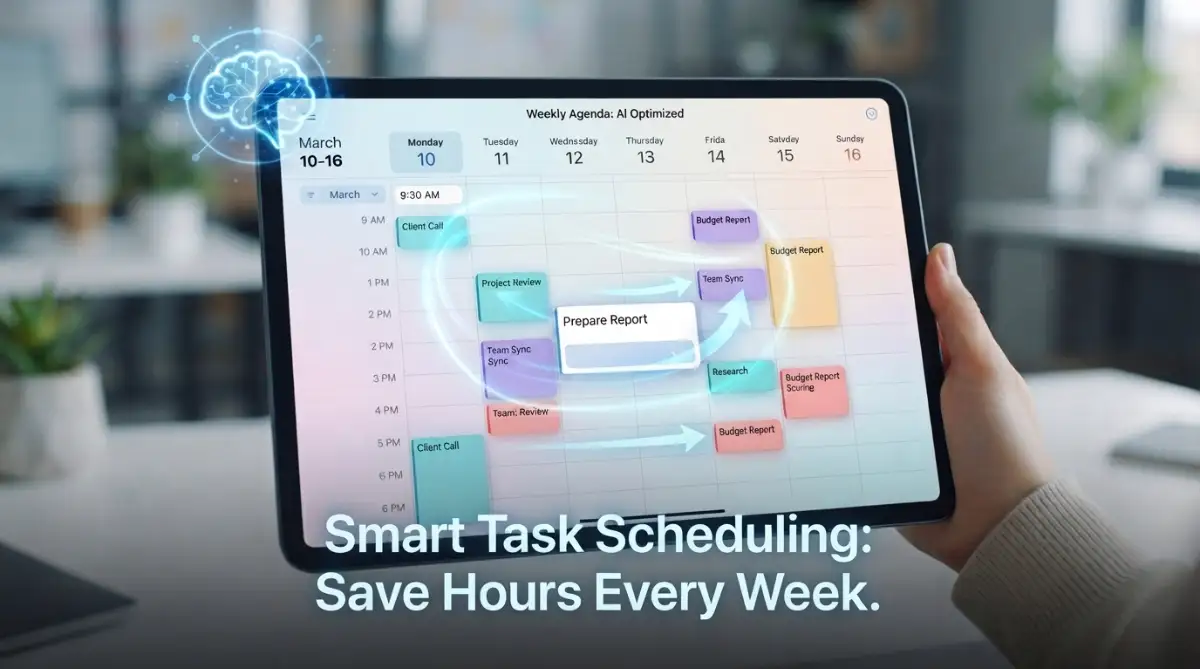
Transforming Your Workflow with AI Logic
It is time to stop acting like a robot and let the robots do the boring work for you. AI is not here to take your job; it is here to take the parts of your job that you hate. Think of it as a very smart assistant who never sleeps and never forgets a detail.
When we talk about AI in project management, we are talking about smart logic. Instead of you deciding where every piece of the puzzle goes, the AI looks at the whole picture. It knows who is busy, who is free, and which task is the most important right now.
Imagine waking up and your calendar has already moved your meetings because it saw you have a big deadline. Imagine a tool that tells you, "If you don't start this task now, you will be late next Friday." This is the power of automated scheduling.
Phase 1: Auditing Your Current Work Habits
Before you plug in any AI tool, you need to see where your time is actually going. You cannot fix what you do not measure. Most of us spend way more time on "busy work" than we realize.
Step 1: Track Your Manual Minutes
For the next three days, write down every time you do a manual task. This includes moving a card in a project board, sending a "status update" email, or rescheduling a meeting. You will be shocked at how many hours these small actions take.
Step 2: Identify Your Bottlenecks
Look at your list and find the "clogged pipes" in your workflow. Is it waiting for approvals? Is it trying to find the right file? AI is best at fixing these specific, repetitive problems.
Step 3: Clear the Clutter
Delete tasks that don't need to be there. AI works best when the data is clean. If your current project board is full of old, useless tasks, the AI will get confused. Start with a fresh, clean slate.
Choosing the Right AI Tools for Your Needs
You don't need every tool on the market. In fact, having too many "smart" tools can make things worse. You need a simple setup that covers the basics: planning, tracking, and communicating.
Look for tools that offer predictive scheduling. This means the software looks at how fast you worked in the past. It then uses that data to predict how long future tasks will take. This is much better than just guessing.
Another thing to look for is native integrations. Your AI tool should be able to "talk" to your email and your chat apps. If the AI knows what is happening in your inbox, it can create tasks for you automatically. This saves you from copying and pasting text all day.
Setting Up Your First Automated Project
Start small. Don't try to automate your whole company in one day. Pick one project or even just your personal daily schedule to begin with.
Define Your Goals Clearly
Tell the AI what "success" looks like. Is it finishing the project by a certain date? Is it keeping the budget under a specific amount? When the AI knows the goal, it can make better choices about scheduling.
Input Your Constraints
Every project has limits. Maybe you don't work on Fridays, or maybe a team member is only available in the mornings. You must feed this info into the AI. The tool will then build a schedule that actually works in the real world.
Let the AI Suggest the Path
Once your data is in, let the tool create the first draft of your schedule. Don't try to fix it right away. Look at the logic it used. Often, the AI sees a faster way to do things that we might have missed because we are too close to the work.
Moving from Manual to Auto-Pilot
The goal of using AI is to reach a state of flow. Flow is when you are so focused on your actual work that you forget about the "management" part. AI makes this possible by handling the background noise.
Think about a self-driving car. You still tell it where to go, but you don't have to worry about every tiny turn of the wheel. Project management should be the same. You are the director; the AI is the engine.
When you stop spending four hours a day on admin work, you get those four hours back for deep thinking. This is where your best work happens. This is how you get promoted or grow your business.
Building Trust with Your AI Assistant
It takes a little time to trust a machine with your schedule. You might feel the urge to double-check everything. That is normal. But as you see the AI successfully handle small tasks, your trust will grow.
Start by letting the AI handle your reminders. Then, let it handle your meeting bookings. Finally, let it manage your task priorities. Each step builds a stronger bridge between you and the technology.
If the AI makes a mistake, don't give up. Usually, a mistake happens because the "input" was not clear. Refine your instructions and try again. It is a learning process for both you and the software.
The Science of Smart Scheduling
Why does AI work so well for scheduling? It is because of algorithms. Humans are biased. We think we can do more than we can. We also get tired and make bad choices in the afternoon.
AI does not get tired. It uses math to calculate the "Critical Path" of a project. This is the sequence of tasks that must be finished on time for the whole project to stay on track. AI can find this path in milliseconds.
By using these mathematical models, AI reduces the "slack" in your schedule. It finds the perfect balance between working hard and having enough time to rest. This scientific approach is much more reliable than a "gut feeling."
Practical Tips for Daily AI Usage
To get the most out of these tools, you need to check in with them once a day. A five-minute "morning sync" with your AI dashboard is all it takes. See what the AI has prioritized for you and adjust if needed.
Be Honest with Your Data
If a task took three hours instead of one, tell the tool. The AI learns from the truth. If you lie to the tool to look better, the scheduling will stay inaccurate.
Use Voice Commands
Many AI project tools now allow you to talk to them. While you are driving or making coffee, you can say, "Add a task to research the new client." This keeps your ideas from getting lost.
Sync All Your Calendars
Make sure your personal and professional calendars are connected to the AI. This prevents the AI from scheduling a big work meeting during your doctor's appointment. Total visibility is the key to a stress-free life.
Why This Matters for Your Career
In the near future, knowing how to work with AI will be a basic skill, like using a computer is today. People who master these tools now will have a huge advantage. You will be able to do the work of three people without feeling the stress of three people.
Companies are looking for "force multipliers." These are people who use technology to get massive results. By learning AI project management, you become a very valuable asset to any team.
You are not just learning a tool; you are learning a new way of thinking. You are learning how to be a manager of systems, not just a manager of tasks. This shift in mindset is where true professional growth begins.
Real-Life Example: From Mess to Success
Let’s look at a small team of three people. They were struggling to launch a new website. They used email and a basic whiteboard. They missed three launch dates in a row. They were tired and arguing with each other.
They decided to try an AI-powered project tool. They put in all their tasks and deadlines. The AI immediately showed them that they were trying to do too much at once. It rescheduled the tasks based on who was actually available.
Within two weeks, the team's mood changed. They knew exactly what to work on every morning. They didn't have to ask "what's next?" anymore. They launched the website on the new date with zero stress. That is the power of a smart system.
Staying Human in a Digital World
Even with the best AI, you are still the heart of the project. AI can't build relationships. It can't understand the "feel" of a brand. It can't empathize with a client who is having a bad day.
Use the time you save with AI to be more human. Talk to your team more. Listen to your clients. Focus on the creative parts of your job that a computer can never do. This is the perfect balance.
The best project managers of the future will be those who use AI for the "hard" skills (logic, data, scheduling) and keep the "soft" skills (leadership, empathy, vision) for themselves. This is how you win in the modern world.
Practical Steps to Take Today
- Pick one tool: Don't overthink it. Just pick a popular AI project tool and sign up for a free trial.
- Input your biggest project: Get all the tasks out of your head and into the system.
- Set one automation: Try something simple, like "When a task is finished, notify the next person."
- Observe for one week: See how the tool changes your daily flow.
Don't wait for the "perfect time" to start. The best time was yesterday, and the second-best time is right now. You have the power to change how you work. You have the power to take back your time.
Summary of Part 1
We have looked at the pain of manual management and why it fails. We talked about the mental health benefits of getting organized. We also covered the first steps of auditing your work and setting up AI logic.
In the next part, we will go even deeper. We will talk about advanced automation, how to handle team resistance to AI, and the best ways to scale these systems for large companies. Your journey to a stress-free, automated life has just begun.
Stay focused on the goal: a clear mind and a finished project. With AI as your partner, anything is possible. Let's move forward and master the art of smart work.
Moving to the Next Level of Smart Project Control
Now that you have the basics down, it is time to look at the more advanced side of things. Managing one person is easy, but managing a whole team or a complex business needs more power. This is where AI truly starts to shine by doing things a human simply cannot do alone.
One of the best ways to stay ahead is by stop wasting time and learning how to automate your business with AI. When you connect your tasks to a larger system, you see patterns you never noticed before. You begin to see where time is leaking out of your day like water from a cracked cup.
According to research found on high-authority business sites like Forbes, companies that use smart automation see a huge jump in team happiness. This is because people spend less time on boring data entry and more time on the work they actually enjoy. It turns a job into a career.
Step 4: Balancing Your Team’s Workload Automatically
Most projects fail because one person gets too much work while others are waiting for something to do. This is called a "bottleneck." In a normal office, you might not see this until it is too late and the deadline is missed.
AI tools look at everyone’s capacity at the same time. If it sees that "Person A" has ten hours of work assigned for an eight-hour day, it flags it immediately. It can even suggest moving some of those tasks to "Person B," who has a light schedule.
This is not just about being fair; it is about being efficient. You want your team to be busy but not overwhelmed. When the workload is balanced, the quality of work stays high. People don't feel the need to rush and make mistakes.
Think of it like a smart traffic light system. Instead of having cars wait at a red light when no one is coming from the other side, the smart light changes based on real traffic. AI does this for your tasks, making sure the "traffic" of work always keeps moving.
Step 5: Using Predictive Analytics to See the Future
Imagine if you could see a project delay coming two weeks before it actually happened. This sounds like magic, but it is actually just math. AI looks at your past performance and compares it to your current speed.
If your team usually takes three days to design a logo but this time it is taking five, the AI notices. It will alert you that the final launch date is now at risk. This gives you time to fix the problem before it becomes a disaster.
You can use these insights to manage client expectations better. Instead of apologizing for a late delivery, you can tell them early that things are changing. This builds trust because you are being honest and data-driven.
Many people find that they can use ChatGPT every day to save time and work smarter by asking it to analyze these project trends. You can feed it your project data and ask, "Where are we most likely to fail?" The answers might surprise you.
Creating a Long-Term Strategy for Success
To keep getting good results, you must treat your AI system like a garden. You cannot just plant the seeds and walk away forever. You need to pull the weeds and make sure everything is getting enough water.
Set aside ten minutes every Friday to review the AI’s performance. Look at the tasks it scheduled and see if they were realistic. If the AI thought a task would take an hour but it took four, update the settings. This makes the system smarter for the next week.
Encourage your team to give feedback on the automation. Ask them, "Is this tool making your life easier or harder?" Sometimes, a setting that sounds good on paper is annoying in real life. Be willing to change things until they feel perfect.
Also, remember to keep your data clean. If you finish a task, mark it as finished immediately. If you leave old tasks hanging, the AI will think you are behind schedule. Clean data is the fuel that makes the AI engine run smoothly.
Professional managers often pair their project tools with other smart tech. For example, small businesses can use AI chatbots for instant support to handle client questions while the team focuses on the main project. This creates a full circle of efficiency.
The Expert Secret: Context-Aware Task Priorities
Not all tasks are created equal. Some are "high priority" because a client is waiting. Others are "high priority" because they are the foundation for five other tasks. AI understands these relationships better than we do.
When you use a smart scheduling tool, it creates a "web" of tasks. If you move one task, the AI knows exactly which other tasks are affected. It can then re-order your entire week to make sure the most important work still gets done first.
This is called "Context-Awareness." The AI knows that a meeting on Monday might change what you need to do on Wednesday. It keeps your schedule flexible but firm. You don't have to spend your Sunday night planning your week; the AI has already done it.

Mistakes That Can Ruin Your Automation Progress
Even with the best tools, things can go wrong if you are not careful. Many people jump into AI with too much excitement and forget the basics. This leads to a messy system that is harder to fix than it was to start.
One common error is trying to automate things that require human feeling. You can automate a task reminder, but you should not automate a "thank you" note to a stressed employee. People can tell when a machine is talking to them, and it can feel cold.
Another big mistake is ignoring the data quality. If you put "garbage" into your project tool, the AI will give you "garbage" results. You must be disciplined about how you enter information into the system.
Relying Too Much on the Machine
It is easy to stop thinking for yourself once the AI starts doing the work. You might see a schedule and think, "The computer said this is right, so I must follow it." But you are still the boss.
AI does not know if a team member is having a bad day at home. It does not know if the office power went out for three hours. You must always use your human judgment to override the machine when necessary.
If the AI suggests a schedule that feels impossible, it probably is. Don't force yourself or your team to meet a machine's standards without checking if those standards are realistic. Use the tool as a guide, not a dictator.
The "Set It and Forget It" Trap
Some people think that once they set up their automation, they never have to look at it again. This is a very dangerous way to work. Businesses change, and your tools need to change with them.
If your company grows from three people to ten, your old automation rules might break. You need to scale your systems as you scale your team. Check your automation "recipes" at least once a month to ensure they still make sense.
If you don't update your rules, you might find that the AI is sending notifications to people who don't work there anymore. Or it might be prioritizing tasks for a project that was canceled weeks ago. This creates confusion and wastes time.
Complicating a Simple Process
Sometimes, the best way to do a task is the simple way. You don't need a complex AI workflow to remind you to buy milk. Many people spend hours setting up automations for things that only take two seconds to do manually.
Before you automate something, ask yourself: "Will this save me more time than it took to build?" If the answer is no, then keep it manual. Automation should reduce your workload, not give you more "admin" work to do.
Focus on the big wins first. Automate the things you do every single day that take more than fifteen minutes. This is where you will see the biggest return on your investment. Keep the small, one-time tasks on a simple list.
Failing to Train the Team Properly
You might be an expert on your new AI tool, but if your team doesn't know how to use it, the project will fail. People are often afraid of new technology. They might think the AI is there to track their every move or replace them.
You must spend time explaining why you are using these tools. Show them how the AI will help them leave work on time. Show them how it reduces their stress. When they see the personal benefit, they will be happy to use it.
Give them a simple guide or a short video showing the basics. Make it clear that the tool is there to support them, not to spy on them. A team that trusts the system will use it much more effectively than a team that is forced to use it.
How to Stay Consistent for Long-Term Gains
The first week of using AI is always fun because it feels new. The second and third weeks are harder because the "newness" wears off. To see real results, you have to stay consistent for months, not days.
Think of it like going to the gym. You don't get muscles after one workout. You get them by showing up every day for a long time. Managing your projects with AI is a habit that you need to build over time.
Reward yourself when you hit a milestone. If you go a whole month without missing a deadline thanks to your new system, celebrate that. It will help you stay motivated to keep your data clean and your tools updated.
Small Daily Wins Lead to Big Success
Don't worry about being perfect from day one. Just try to be 1% better every day. If you automate one small task today, that is a win. If you fix one broken scheduling rule tomorrow, that is another win.
Over a year, these tiny changes add up to a massive transformation. You will look back and wonder how you ever managed to get anything done the old way. You will have more free time, less stress, and a much better career.
If you find that your website or project boards are getting slow, you can even learn how to boost website speed using smart AI automation tools. Every part of your digital life can be improved if you take it one step at a time.
The Importance of Human Connection
As you become more efficient, don't forget to talk to people. Automation gives you time back so you can have real conversations. Use that extra hour in your day to grab coffee with a mentor or check in on a friend.
Technology should bring us closer together by taking away the "noise" that keeps us busy. Use your AI-scheduled free time to be the best version of yourself. Be a leader who listens and a professional who cares.
The most successful people are those who use technology to handle the data and use their hearts to handle the people. This balance is the secret to a happy and wealthy life. You are now on the right path to achieving that.
Your New Era of Productivity Starts Now
You now have all the knowledge you need to change your work life. You know how to pick tools, how to set up schedules, and how to avoid the biggest mistakes. The only thing left to do is to take action.
Stop waiting for a "slower week" to start. That week will never come unless you create it. Open your project board right now and find one task you can automate. That small step is the beginning of your new, stress-free life.
Remember that you are in control. The AI is your assistant, your helper, and your guide. It is there to serve your vision and help you reach your goals faster than you ever thought possible.
You have the talent and the tools. Now, go out there and show the world what you can do when you work smart. Your future self will thank you for the changes you are making today.
Enjoy the feeling of a clear mind and an organized life. You have earned it. Keep learning, keep growing, and keep letting AI do the heavy lifting for you. Success is waiting just around the corner.