The Real Struggle of Traditional App Building
Building a custom app used to be a nightmare for most people. You either had to spend years learning complex coding languages or pay a developer thousands of dollars. Even then, the process took months of waiting.
Many small business owners have great ideas but lack the technical skills to build them. They feel stuck because they cannot afford a full-time tech team. This delay often causes them to lose their competitive edge in the market.
According to research from Forbes, the demand for software is growing five times faster than the supply of professional developers. This gap creates a lot of stress for entrepreneurs who need tools to manage their daily work.
The frustration of bugs, long development cycles, and high costs often leads people to give up on their digital dreams. They end up using generic tools that don't quite fit their needs. It feels like trying to put a square peg in a round hole.
How Most People Get Stuck with Wrong Information
When people search for solutions, they often get overwhelmed by bad advice. Here is why the struggle continues for so many:
- Overcomplicating the Tech: Many guides tell beginners they must learn Python or JavaScript before doing anything useful.
- High Starting Costs: Some experts suggest expensive enterprise software that is too complex for a small project.
- Fear of Security: People worry that if they don't code it themselves, their business data won't be secure.
- Ignoring Scalability: Users often pick a tool that works for one week but fails when they get more than ten customers.
The Hidden Cost of Waiting to Build
Every day you wait to build your app is a day of lost productivity. You continue doing manual tasks that should be automated. This wastes your time and kills your creativity.
Working without the right tools leads to mistakes. Important emails get lost, customer data is messy, and your team feels confused. It is hard to stay confident when your business systems are broken.
If you want to stay ahead, you need to find a way to build tools fast. This is where the magic of no-code platforms comes into play. It is the solution that bridges the gap between a great idea and a working product.

Understanding the Power of No-Code Development
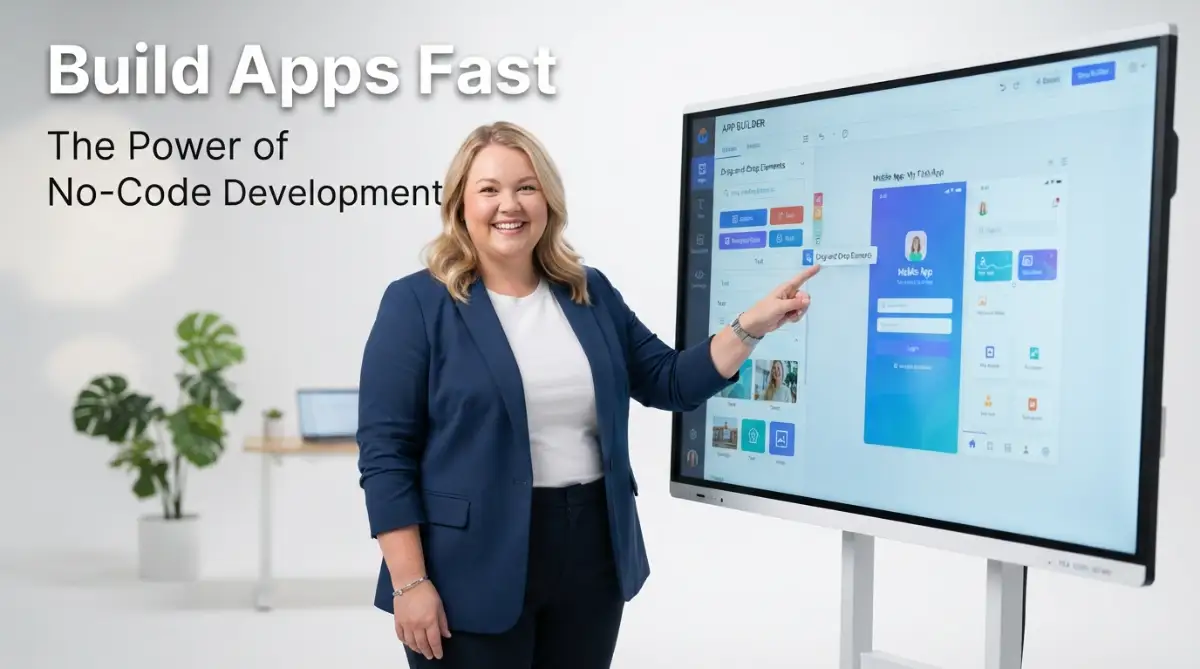
No-code platforms are tools that let you build software using a visual interface. Think of it like building with digital LEGO blocks. You drag a button here, a text box there, and connect them with simple logic.
These platforms handle all the complex background code for you. You don't have to worry about servers, databases, or syntax errors. You focus entirely on how the app should look and function for your users.
This approach is perfect for reclaiming your time with smart AI tools. You can build a custom dashboard or a client portal in a single afternoon. It changes the way you think about solving problems.
Step 1: Define Your App’s Core Purpose
Before you touch any software, you must know what you are building. Do not try to build the next Facebook on your first day. Start with a single problem you want to solve.
Write down the one thing your app must do. For example, "It must let my clients book an appointment and pay a deposit." This clarity is your roadmap.
When you have a clear goal, you won't get distracted by fancy features that you don't need yet. You can always use ChatGPT to save time by asking it to help you outline your app's main steps.
Step 2: Choose the Right Visual Interface for Your Needs
Not all no-code platforms are the same. Some are great for mobile apps, while others are better for internal business tools. You need to pick the one that matches your specific goal.
Look for a tool that has a large community and good support. This ensures that if you get stuck, you can find an answer quickly. Most platforms offer a free version so you can test them out first.
Check if the tool connects with other software you already use, like your email or your CRM software for scaling. A good no-code tool should act like a bridge, not an island.
Step 3: Map Out Your Data Logic Simply
Data is the heart of any app. You need to decide what information you will collect and how it will be stored. Think of this as a simple digital filing cabinet.
Create categories for your information. If you are building a task manager, your categories might be "Task Name," "Due Date," and "Assigned To." Keeping it simple at the start is the key to success.
Don't worry about complex databases. Most no-code tools use a setup that looks just like a simple spreadsheet. If you can use Excel, you can build a database for your app.
Step 4: Building Your First Functional Prototype
Now comes the fun part. Start dragging your elements onto the screen. Place your buttons, images, and text where you want them to be.
Focus on the "User Journey." This means thinking about exactly what a person sees when they first open your app. What is the first button they click? Where do they go next?
Try to make the design as clean as possible. A simple app that works perfectly is much better than a complex app that is hard to use. Use plenty of white space so the user doesn't feel overwhelmed.
Step 5: Testing and Automating Your Workflow
Once your buttons are in place, you need to tell them what to do. This is called "Workflow Logic." For example: "When this button is clicked, send an email to the user."
This is the stage where you stop wasting time and automate your business. You can set up rules that handle all the repetitive tasks for you.
Test every single button yourself. Ask a friend or a colleague to try it out too. They will often find mistakes that you missed because you are too close to the project.

Advanced Secrets for Long-Term Success
To make your app truly professional, you should learn how to use "APIs." This sounds technical, but in the no-code world, it just means connecting your app to other smart services.
For example, you could connect your app to an AI service to automatically summarize text. Learning to master AI prompts will help you integrate these smart features effectively.
Another secret is to build in "modules." Instead of building one giant app, build small pieces that work together. This makes it much easier to fix problems or add new features later on.
Always keep your users in mind. Ask them for feedback regularly. Small changes based on real user needs will make your app much more successful than any expensive marketing campaign.
Common Mistakes That Can Ruin Your App
Many beginners make the mistake of building too many features at once. This is called "feature creep." It makes your app slow and confusing for the user.
Another big pitfall is ignoring mobile responsiveness. Many people build their app on a big desktop screen and forget to check how it looks on a phone. Always test on multiple devices.
Don't forget about data privacy. Even without code, you are responsible for keeping user information safe. Make sure you use the security features provided by your platform.
Lastly, avoid over-customizing the design before the logic is finished. It doesn't matter how pretty your app is if the "Submit" button doesn't work. Focus on the function first, then the beauty.
Why You Should Start Building Today
The world of software is no longer locked behind a gate of complex code. You have the power to create the tools you need right now.
Starting today means you are one step closer to a more organized and successful life. You don't need a degree; you just need a bit of curiosity and the right approach.
Every successful project starts with a single action. Whether it is a simple tracker for your habits or a full system for your business, the potential is endless.
Imagine the feeling of pride when you show someone an app that you built. It is a powerful boost to your confidence and your career.
The technology is ready for you. The question is, are you ready to take control of your digital future?
Your Path to a Smarter Digital Life
Building apps without code is a superpower in the modern world. It allows you to move fast, save money, and solve problems creatively.
We have covered how to plan, how to choose your tools, and how to avoid the biggest mistakes. You now have a clear path forward.
Take your first step this week. Pick a small problem and try to build a simple visual solution for it. You will be amazed at how quickly you can learn.
Your ideas deserve to be realized. Stop waiting for the perfect time or the perfect developer. You are the creator you have been looking for.
Go ahead and explore the world of no-code. It is a fun, rewarding, and highly productive journey. You've got the tools—now go build something amazing!
Frequently Asked Questions (FAQ)
Q1: Is no-code development secure for business use?
Yes, most major no-code platforms follow high industry standards for security. They include built-in features to protect your data, but you must always follow best practices for user permissions.
Q2: Can I build a mobile app that works on both iPhone and Android?
Absolutely. Many no-code tools are designed to create "Cross-Platform" apps. This means you build it once, and it works perfectly on both types of devices.
Q3: Do I need to know any math or logic to use no-code?
You don't need advanced math, but basic "if-then" logic is helpful. For example, "If a user clicks this, then show that." It is very similar to the logic used in daily life.
Q4: Will I eventually need to learn how to code?
Not necessarily. Many people run entire successful businesses on no-code alone. However, as your app grows, you might choose to add a little bit of custom code for very specific features.
Q5: How long does it take to learn a no-code platform?
Most people can learn the basics and build their first simple app in just a few days. Becoming an expert may take a few weeks of practice and experimentation.
Key Takeaways
- No-code platforms use visual interfaces to make app building accessible to everyone.
- Focus on solving one specific problem before adding extra features.
- Automating your business with no-code saves hours of manual work every week.
- Always test your app on mobile devices to ensure a good user experience.
- Data security is your responsibility, even when using visual tools.
Author Name: Abu Taher
References:
- Forbes: The Rise of the Citizen Developer.
- Gartner: Forecast for Worldwide Low-Code Development Technologies.
- MIT Technology Review: Why No-Code is the Future of Software.


